Once a pairing exists, the season is logged against it. The app follows eight stages and tells you what usually comes next at each one.
Open the pairing
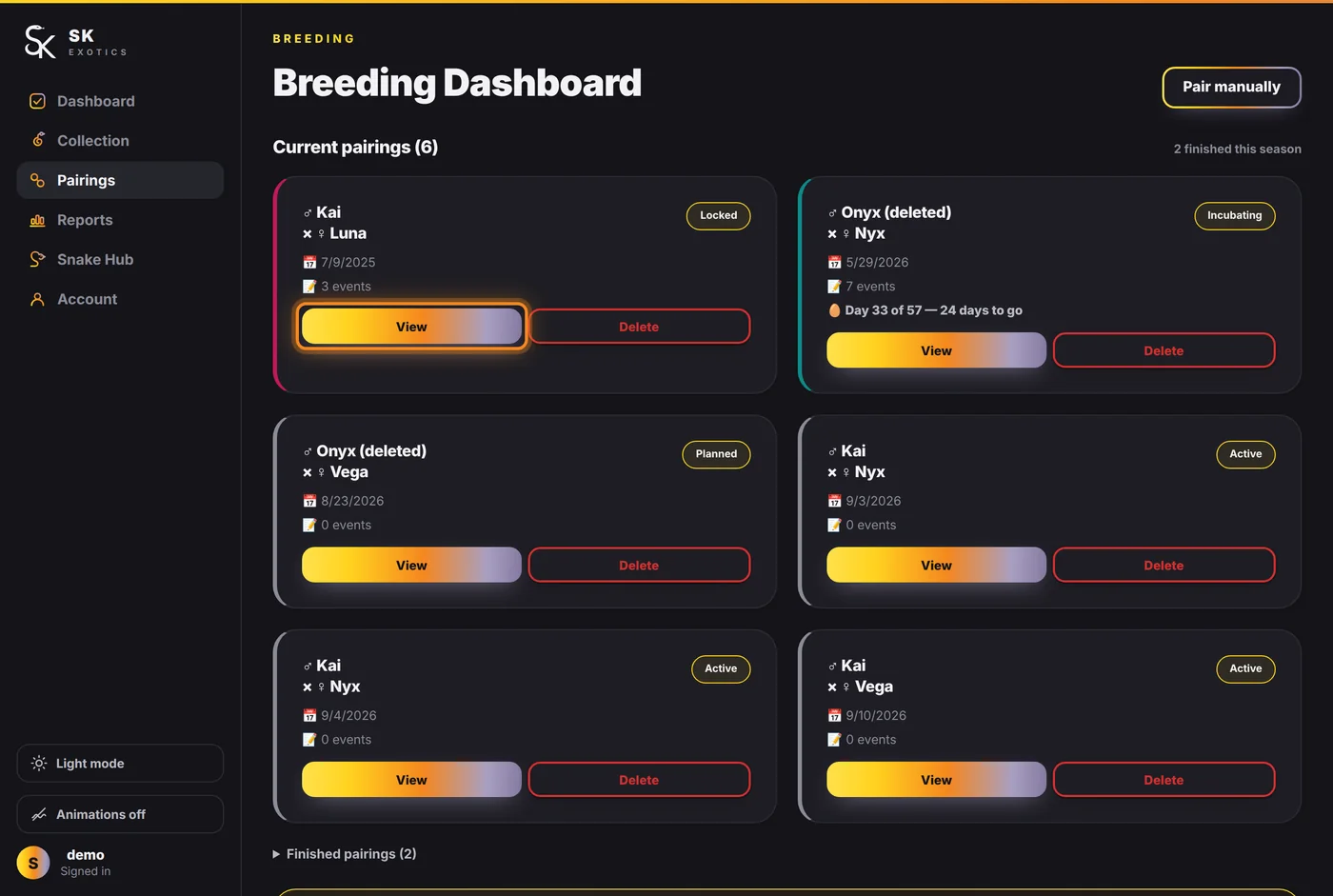
Pairings, then View on the card you want.
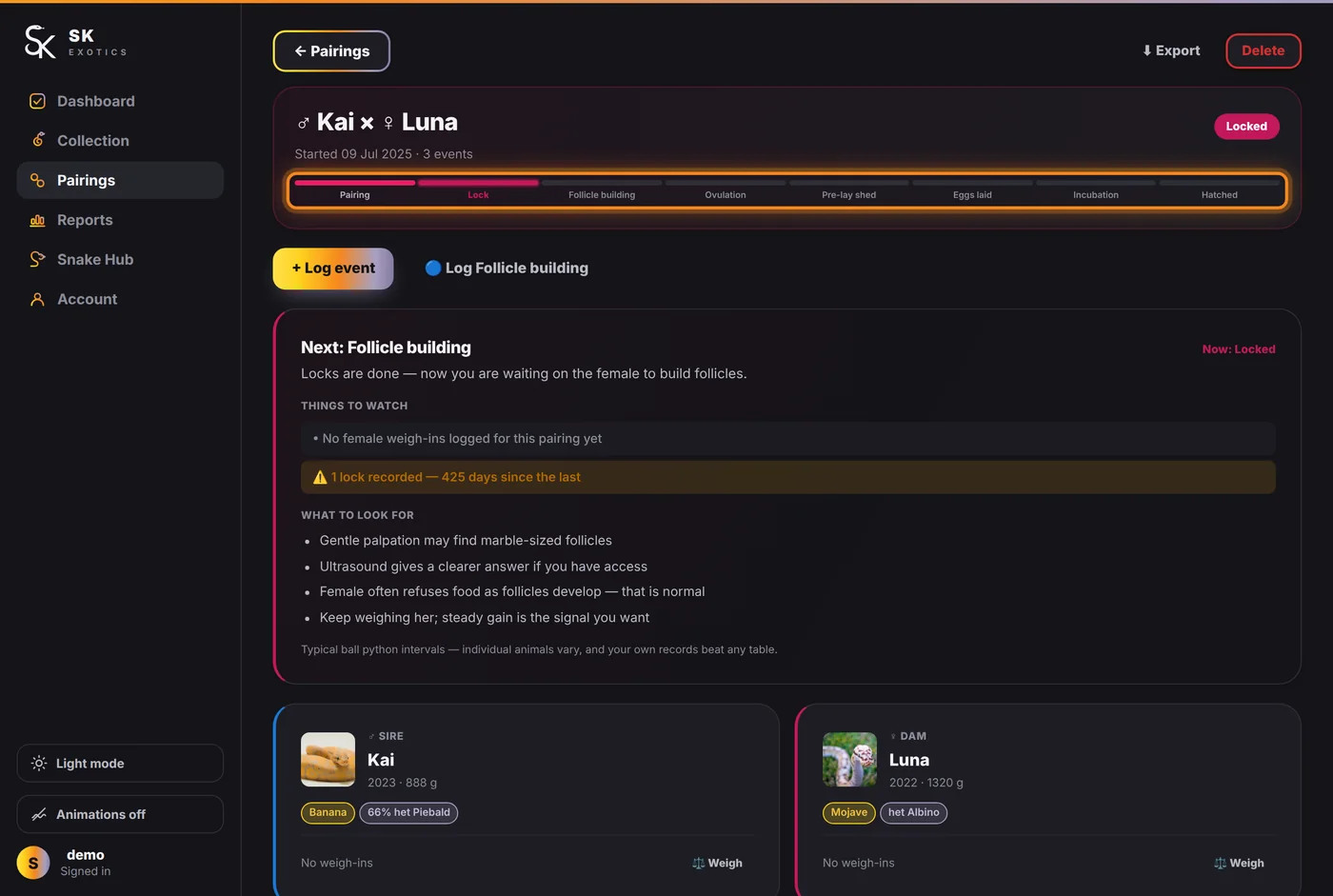
The coloured bar across the top is the season. Stages already reached are lit; the current one is named on the right. Underneath, a card explains where you are — Next, Things to watch, What to look for — and anything the record is missing. "No female weigh-ins logged for this pairing yet" is the app pointing at a gap, not an error.
Log what happened
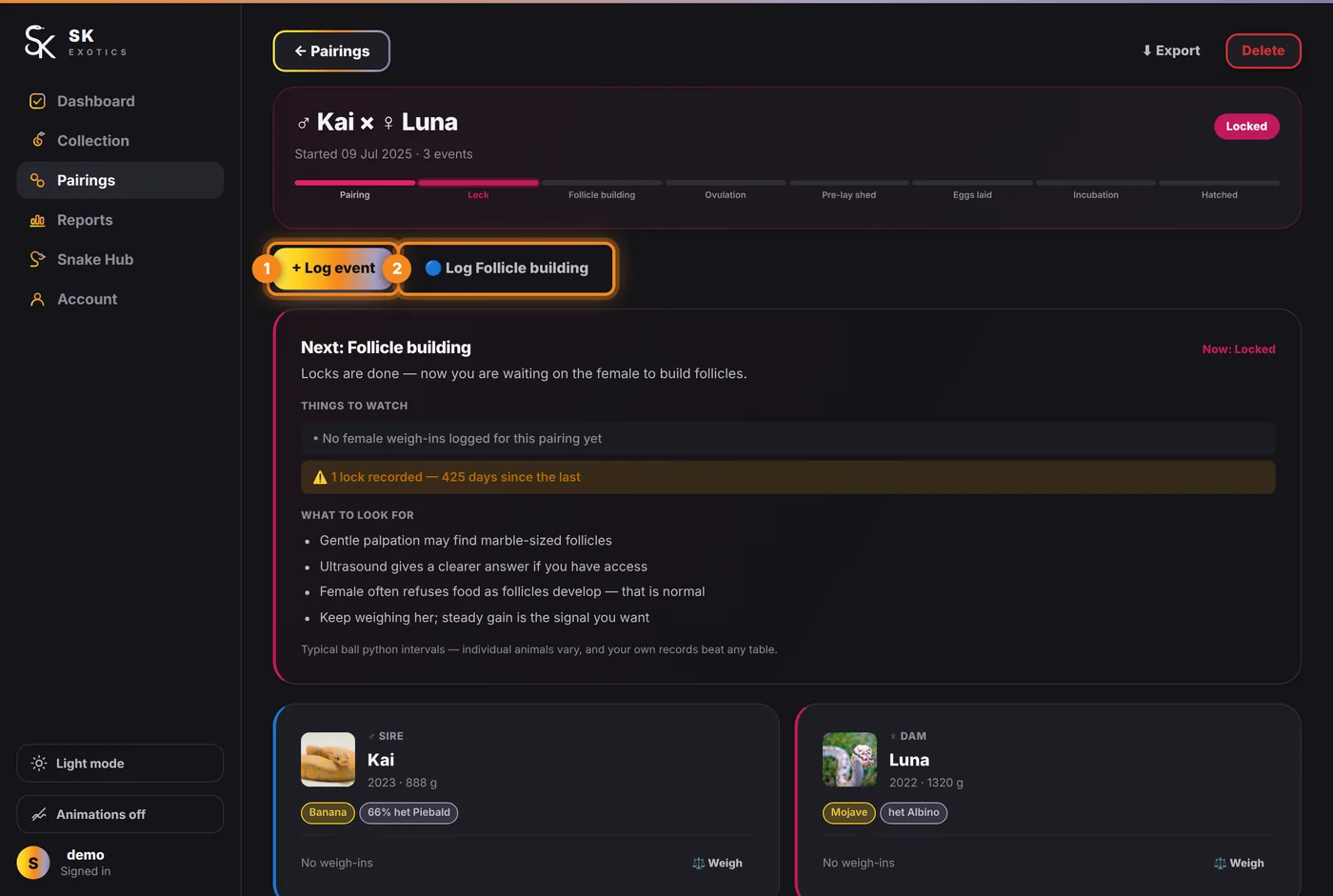
- 1. + Log event — opens the full list.
- 2. Log … — the shortcut beside it is pre-set to whatever stage the app expects next. Most days this is the only button you need.
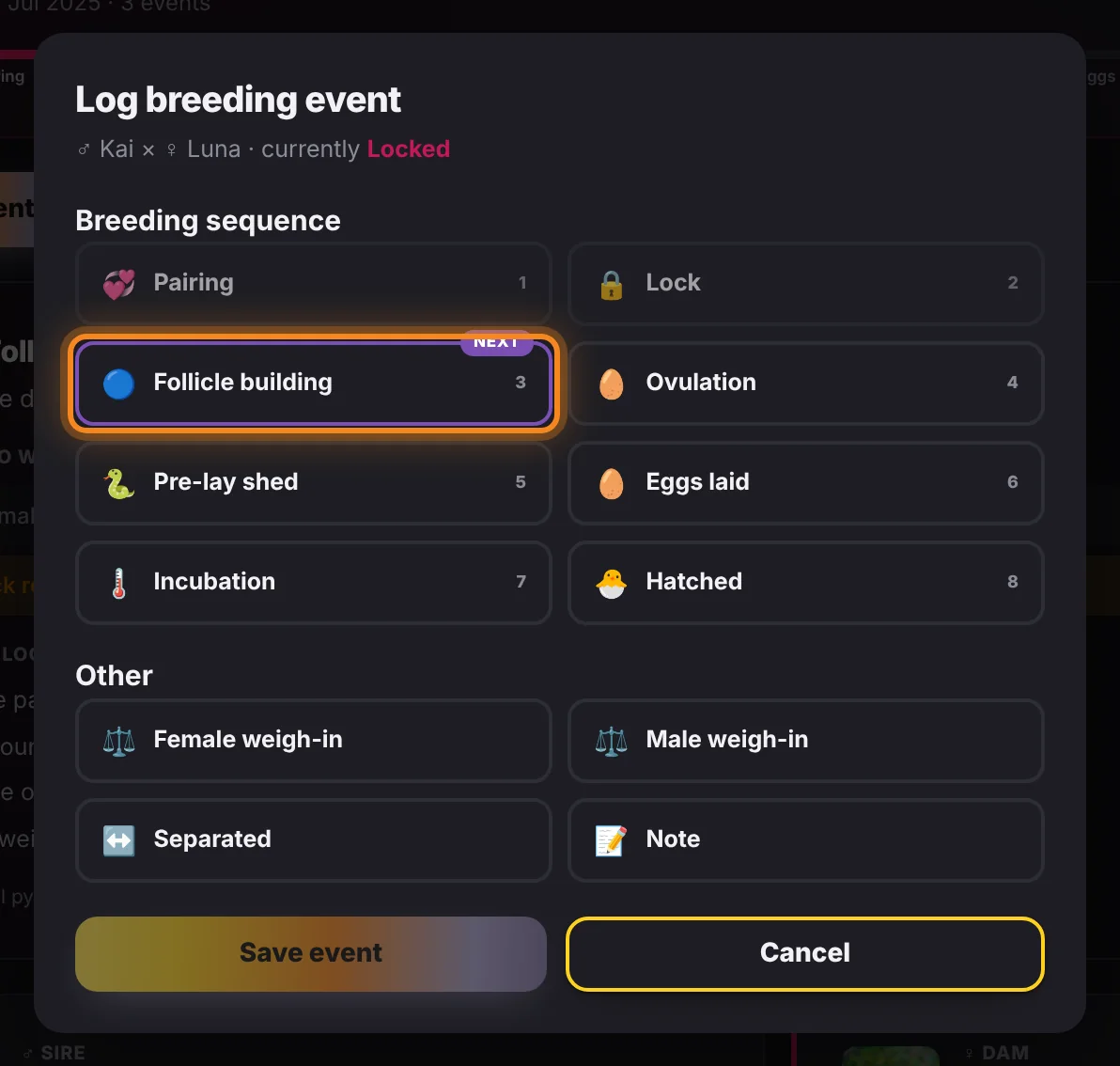
The eight stages are numbered in the order they normally happen, and the one the app expects next carries a Next tag:
- 1. Pairing — they were introduced.
- 2. Lock — an observed lock. Log every one; the count matters later.
- 3. Follicle building — you can feel development.
- 4. Ovulation — the swell. Worth getting the date right, because everything after it is counted from here.
- 5. Pre-lay shed — usually about three weeks after ovulation.
- 6. Eggs laid — record how many, how many look fertile, and any slugs.
- 7. Incubation — starts the countdown. The card then shows "Day 26 of 57 — 31 days to go" on the breeding dashboard.
- 8. Hatched — record how many pipped.
Under Other, four more that are not stages: Female weigh-in and Male weigh-in — condition through the season, which is the number that tells you whether to run her again next year — Separated, and Note.
Pick the type and the rest of the form appears underneath it.
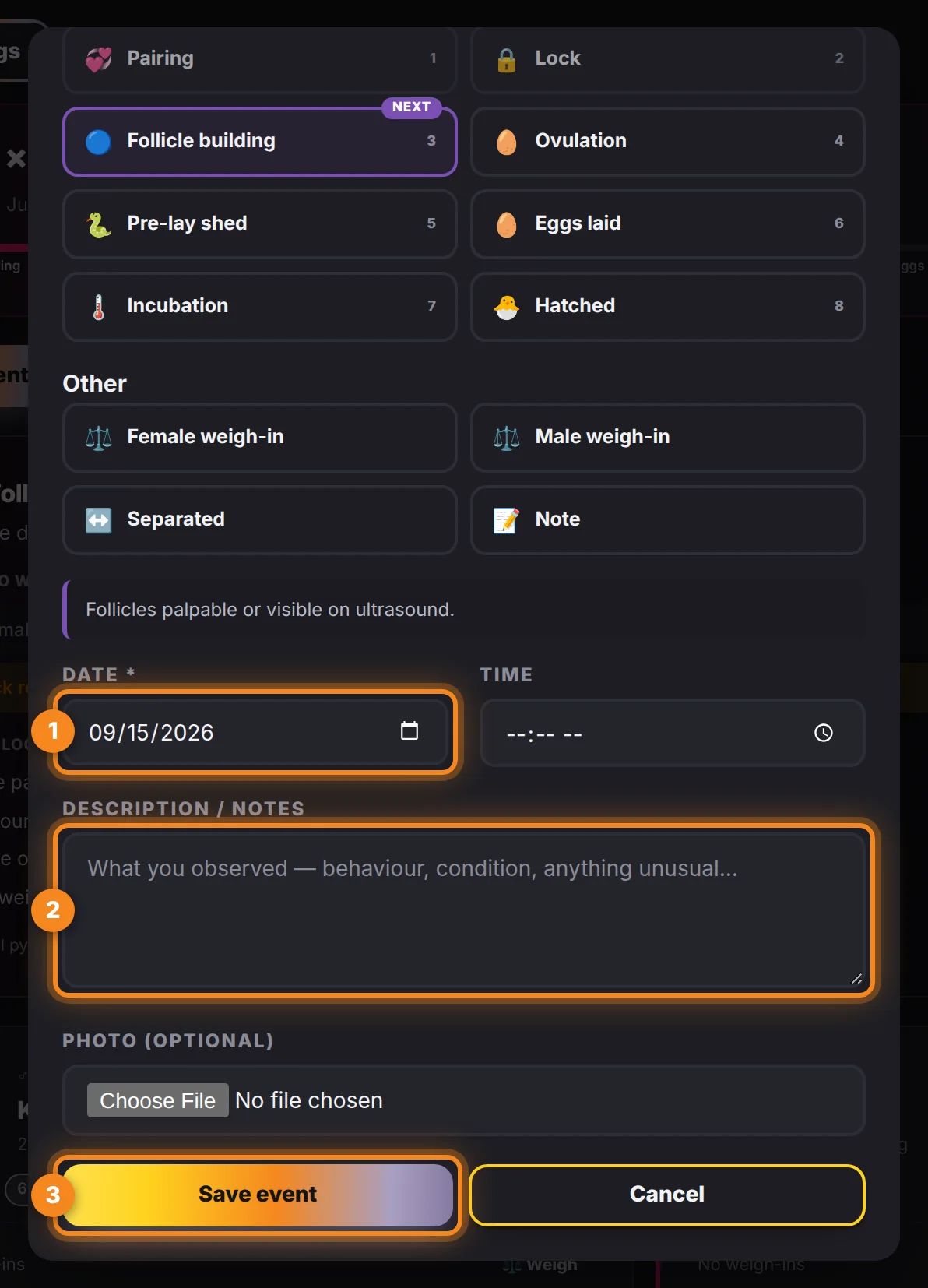
- 1. Date — defaults to today; backdate freely.
- 2. Description / notes — what you observed.
- 3. Save event.
After the hatch
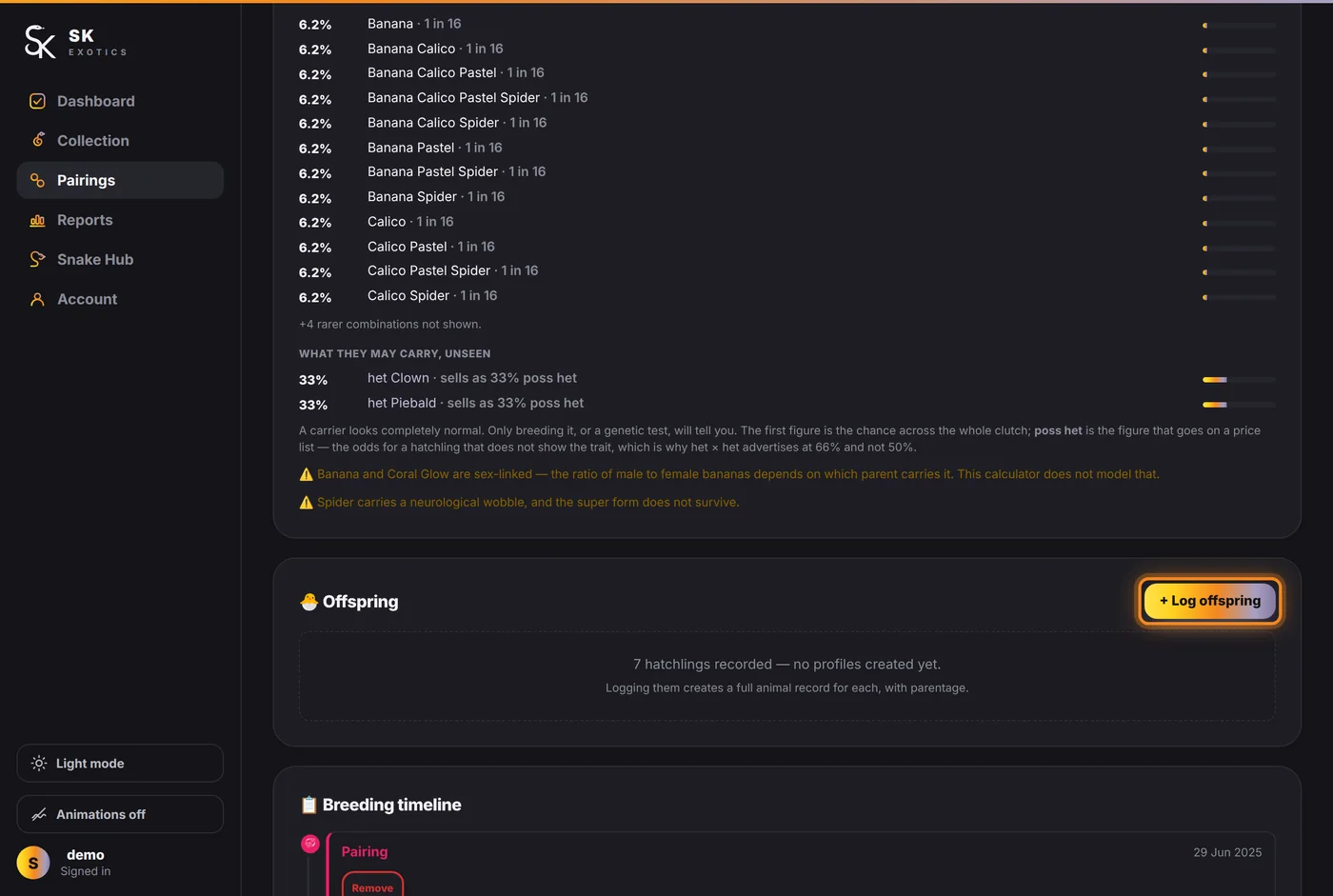
When the season is complete the card changes to tell you to log the hatchlings and let the female recover. + Log offspring on the Offspring card creates a profile for each one, linked to the clutch, so the parentage is recorded without retyping it.
You do not have to log stages in order, and you do not have to catch them on the day. Backdating is normal — the dates you enter are what the app counts from, not when you typed them.